
Daily profit control / for Shopify stores
See the margin.
Find the reason.
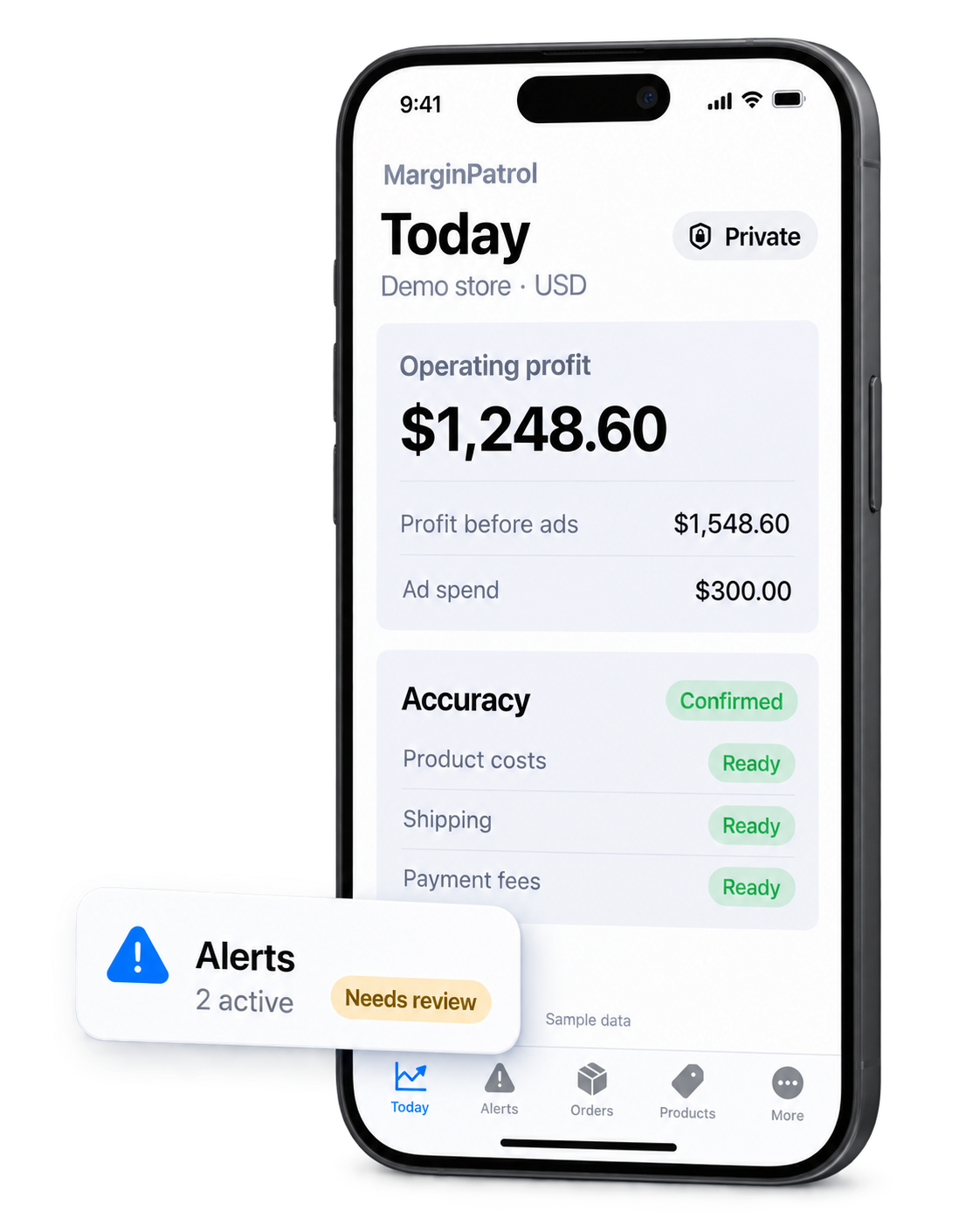
Review the selected day’s operating-profit result, the quality of its inputs, and the financial finding worth checking next.
Follow a resultIllustrative interface and sample figures. A finding prompts a review; it is not a claim of recovered profit.
Profit Breakdown and Data Quality stay connected to the selected result and the records behind available findings.
A useful daily rhythm
From result to source.
Start with a selected store day. When the data supports a result, follow its limitations and available findings into the underlying record.
- 01 / CONNECT
Bring in store activity
Import supported Shopify orders and transactions for the selected day.
- 02 / COMPLETE
Add the relevant costs
Supply product, shipping, fee and advertising information where needed.
- 03 / VERIFY
Check the result’s quality
Keep confirmed, estimated, preliminary and missing inputs distinct.
- 04 / INSPECT
Open the linked record
Review an available finding before deciding what to do next.
During the limited first review, you can inspect the selected result and linked records before subscription approval. Further monitoring follows the confirmed Shopify plan.
Illustrative order review
One corrected cost changes the calculation.
An estimated store shipping cost can make an order look different from the same order with its exact cost recorded.
See what the calculation includesThe result changed because the input changed. This is not evidence that the store recovered $15.
Financial findings
Know what deserves a closer look.
Findings point to conditions and records to inspect. Their displayed amounts can represent different measures and are not interchangeable estimates of lost profit.
Order and product margin
Inspect unprofitable orders, low-margin products or missing product costs.
Shipping and refunds
Review shipping losses or refund changes with the relevant records.
Ad spend and trends
Check ad spend pressure, delayed sync and revenue or profit movement.
Data Quality
The limits stay visible.
A useful profit view shows the quality of its inputs alongside the result. Missing costs are not treated as zero; source changes can recalculate a selected day.
These states describe the selected calculation; they do not certify accounting accuracy. Financial amounts are hidden in push notifications by default.
Understand Data QualityMarginPatrol for iPhone & Android
Set up in Shopify.
Review on your phone.
Keep your store’s available profit results and alerts within reach.


Requires MarginPatrol for Shopify. After installing, link your phone in Settings → Mobile devices.
Your next step
See the terms before you decide.
Review current pricing, trial, order-volume terms and plan access before approving a subscription in Shopify.
The Shopify App Store listing is not available yet.